
- 6 Best Email Header Analyzers I Use Almost Daily - agosto 28, 2026
- MXToolbox Alternatives Worth Your Money - agosto 7, 2026
Last Updated on agosto 25, 2026 by Víctor Carrera
MXToolbox was the first tool I ever used to figure out an email problem. Someone’s mail wasn’t arriving; I searched for a way to check the records, and there it was. Free, no signup, instant answer. I’ve probably run a few thousand lookups on it since.
But at some point the workflow started to become a drag. Every check has its own page, so you run the blacklist lookup, then the SPF lookup, then the DMARC lookup, and then you stand there putting together the picture yourself. Nothing runs on a schedule, which means staying up to date is just you, manually, repeating the same four checks every Monday. And if you want ongoing monitoring instead of one-off answers, you’re looking at $129 a month for Delivery Center or $399 for Delivery Center Plus.
But there’s a bigger problem, the one that sent me looking. I’ve had plenty of situations where every record passed, no blacklist had the IP, nothing came back wrong anywhere, and the mail was still going to spam. MXToolbox couldn’t explain it, because that’s not what it measures.
There’s no single replacement that does everything MXToolbox does. But depending on what you need, several of these do their part considerably better. Here’s what each one is good for, what it costs, and where I’d send you first depending on the problem.
At a Glance
- InboxAlly: Best for inbox placement problems
- GlockApps: Best direct replacement for Delivery Center
- EasyDMARC: Best for setting up DMARC enforcement
- dmarcian: Best for a single domain, and for learning DMARC
- Mail-tester: Best quick check before a campaign
- Google Postmaster Tools: Best free reputation data
1. InboxAlly – Best for Placement Problems Your Records Can’t Explain
InboxAlly has a set of free tools that cover most of what people open MXToolbox for. Spam Database Lookup does the blacklist check. The Email Header Analyzer reads SPF, DKIM, and DMARC results and traces the delivery path, which is what you want at 11pm when a message disappears, and you need to know where. There’s an SPF Record Generator with a live DNS lookup and a 10-lookup counter built in, and I’d argue that counter earns its place more than anything else in the set, because going over ten DNS lookups often breaks SPF and nothing anywhere tells you it happened. There’s also a DMARC generator that verifies your report address, a BIMI generator, a spam word checker, and a placement tester. All free, no plan, no account creation shenanigans.
So why did I rank InboxAlly #1? Because it’s solving the problem the others can’t even see. Your records can be perfect and your placement can still be terrible, because Gmail and Outlook decide placement based on your sending reputation and how recipients behave when your mail arrives. Neither of those things exists in a DNS record. A lookup tool cannot see engagement. It’s looking at a different part of the system altogether, and asking it about placement is like asking a spell-checker whether your argument is any good.
InboxAlly’s paid product works on exactly that part of the problem. It sends your mail through a network of seed accounts that open it, read it, mark it important, and drag it out of spam, which builds the engagement history providers use when they decide where to place your email. One thing worth understanding is that this is a seed engagement network, not a connected-inbox network where real users pool their actual mailboxes. Different mechanisms, different behaviour.
It’s not instant, either. Warming up a domain takes weeks, so if you’re trying to fix tomorrow’s campaign, this won’t be it. The paid tiers start from $149, which makes sense given it’s solving a common and sometimes difficult problem, but it’s worth budgeting for accordingly.
Who it’s best for: Senders whose DNS setup passes every test but whose mail still lands in spam anyway. Also, honestly, anyone who just wants free replacements for their MXToolbox lookups and nothing else.
Precios
- All the free tools are free forever.
- Warmup starts at $149/month (Starter: 100 seed emails per day, one sender profile, email support).
- Plus is $645/month for 500 seed emails a day and five profiles.
- Premium is $1,190/month for 1,000 seed emails a day, ten profiles, phone support and a setup session, plus weekly check-ins.
- Enterprise is on request. Free trial available.
Bottom line: The free tools alone make MXToolbox’s free tier redundant. The paid product is for a problem MXToolbox was never able to solve.
2. GlockApps – Best Direct Replacement for Delivery Center
If you were about to pay MXToolbox $129 a month, look at this first. GlockApps sends your campaign to a seed list and reports back where every copy landed across Gmail, Outlook, Yahoo, and others, then adds DMARC analytics, uptime monitoring, and IP reputation tracking on top.
What I like about the free tier is how strange it is. Two spam test credits a month is basically a demo, barely enough to satisfy curiosity. But it also includes 10,000 DMARC messages, which is a useful volume for a smaller sender, and I know people running on that alone without paying a cent.
Essential at $59 is where it becomes a proper setup: 360 spam test credits and 600,000 DMARC messages. Do the credit math before you commit, though. If you test every campaign rather than once a month, 360 goes faster than the number suggests, and there’s an overage charge on DMARC messages beyond your limit ($7.50 per 100,000 on Essential, dropping to $5 on Growth).
The interface is dated. There’s no polite way around that, and with four fairly separate product areas crammed in one dashboard, it takes a while before you stop hunting for things.
Who it’s best for: Teams paying for Delivery Center, or about to, who’d like more capability for less money.
Precios
- Gratis ($0, 2 spam test credits, 1 sending account, 10,000 DMARC messages).
- Essential $59/month or $708 annually.
- Growth $99/month or $1,188 annually (1,080 credits, 10 sending accounts, 5 users).
- Enterprise $129/month or $1,548 annually.
3. EasyDMARC – Best for Getting to DMARC Enforcement Quickly
Most people get to this one for exactly the same reason. Google and Yahoo tightened their bulk sender rules, someone finally checked, and the domain has been parked at `p=none` since whenever it was set up. Now you need to work out which of your dozen sending services are failing alignment before you can move to reject without breaking anything.
Aggregate reports arrive as XML. I have tried reading them manually – do not recommend it as a way to spend a week.
EasyDMARC turns that into something a person can read, but what’s worth the subscription is that it walks you toward enforcement rather than just showing you a bunch of menus. Going from monitoring to `p=reject` without accidentally blocking your own invoicing system is the hard part of DMARC, and that’s the bit it handles.
Check the billing before you sign up, because the advertised prices are annual. Plus is $35.99/month billed annually against $44.99 monthly, and it covers two domains with three months of history. Two domains is a bit limiting if you’re managing multiple brands, and I’d expect a lot of people to reach that limit sooner than anticipated.
Who it’s best for: Anyone whose single obstacle is DMARC enforcement and who wants it dealt with rather than understood.
Precios
- Free trial, no card required.
- Plus $35.99/month billed annually.
- Premium $71.99/month billed annually (four domains, one year of history, TLS reports, Easy SPF).
- Enterprise custom.
4. dmarcian – Best for a Single Domain, and for Learning DMARC
dmarcian and EasyDMARC overlap enough that picking between them comes down to temperament more than features. Between the two, dmarcian is where I’d point someone who wants to understand what they’re looking at rather than be guided past it. The company has been involved with the DMARC standard since early on, and the product is built around explaining the data so simply that anybody could understand it (yes, even me!).
The free Personal tier is a nice thing to have, but read the restriction properly: non-business personal use. It’s for securing your own domain and learning how this works, not for running your employer’s DMARC programme for free.
There’s one important thing to know before you build a workflow here. The Basic plan is $24 a month for a single domain, which is the cheapest serious DMARC monitoring on this list by some margin. The next tier up is a whopping $240 a month. There’s nothing in between, so if you’re a two or three-domain business, you’re going to feel that jump.
Who it’s best for: Single-domain senders, and people who’d rather learn the standard than be walked through it.
Precios
- Personal $0 (non-business only).
- Basic $24/month ($288/year).
- Plus $240/month ($2,880/year).
- Enterprise $600/month ($7,200/year).
5. Mail-tester – Best Quick Check Before You Hit Send
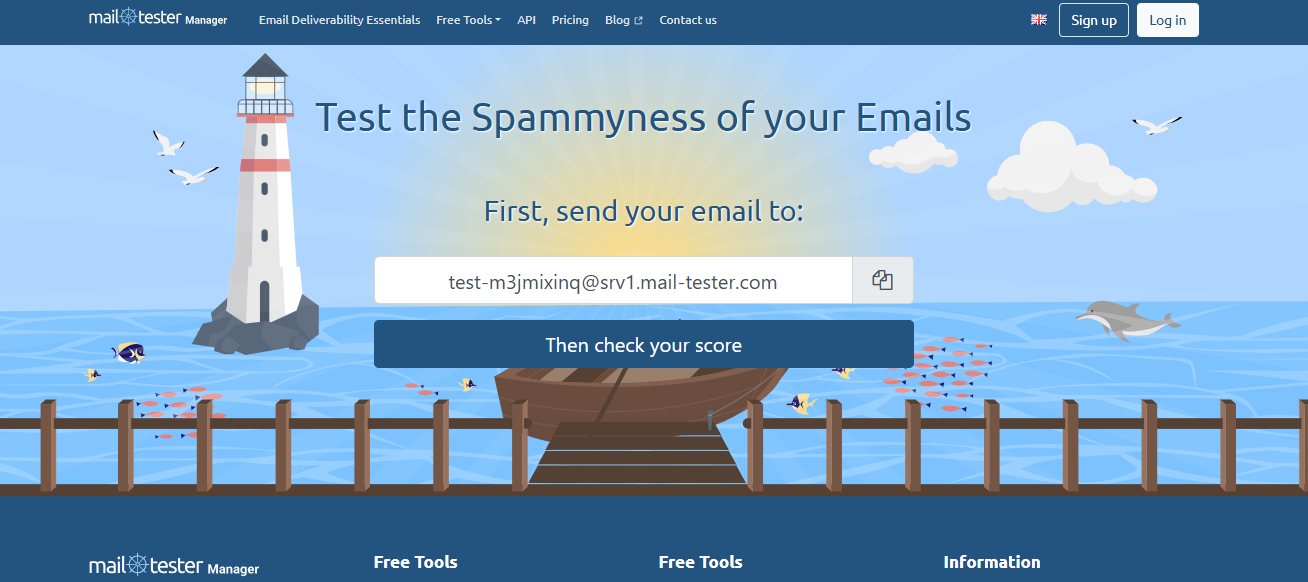
Everything above monitors over time. This one deliberately doesn’t, and that’s why I still use it constantly.
You send a message to a generated address, run the check, and get a score out of ten with a breakdown of what cost you points: authentication failures, spam-triggering copy, a missing unsubscribe header, a listed sending IP or something else, all under a minute.
I use it as a pre-flight check all the time. New sequence about to go out, new domain about to send for the first time, just switched ESPs. It catches the obvious embarrassing stuff that would otherwise cost you a week of confusion. What it will never tell you is whether your sender reputation is dropping, because it keeps no history between tests.
Who it’s best for: Checks before a campaign goes out. Agencies building scoring into their own reports.
Precios
- Free for occasional manual tests through the web interface.
- Subscriptions run $10/month for 50 tests, $25 for 500, $80 for 2,000, and $250 for 7,500, excluding VAT.
- One-time payment options available.
6. Google Postmaster Tools – Best Free Reputation Data

This is the only tool here reporting a mailbox provider’s own view of you rather than a third party’s estimate of it. When Gmail says your domain reputation is Low, that’s not a model predicting something but Google’s system itself making the filtering decision, telling you what it concluded.
Two limits keep it from being an all-round tool. It’s Gmail only, so inbox placement in Outlook, Yahoo, and everyone else will still be unanswered. And it needs a proper daily volume before the charts populate, which leaves smaller senders looking at empty graphs for a while. Setup is a DNS TXT record to prove you own the domain.
I can’t think of a good reason to pay for deliverability tooling while leaving this switched off.
Who it’s best for: Every sender with meaningful Gmail volume.
Precios
Free.
Final Thoughts: Work Out What’s Broken First
MXToolbox is far from a bad product. It’s a great diagnostic tool that people keep trying to use as a monitoring platform it was never built for.
So before you pick a replacement, work out which problem you have. If you just wanted the lookups, InboxAlly’s free tools cover them, and you’re done spending money. If you need continuous monitoring and placement data, GlockApps does more than Delivery Center for less. If DMARC is the blocker, it’s EasyDMARC or dmarcian depending on whether you want speed or understanding.
And if your records are sorted and your mail is still landing in spam, stop running lookups. No configuration tool is going to find it, because the problem isn’t in your configuration. That’s reputation, and it needs a tool that works on reputation.




 English
  German
  Spanish
  French